No. BL-RDM · Redmine plugins
The Redmine that industry needed.
Redmine is the most solid open source project manager there is — but it was born for software, not for the factory floor. These plugins close that gap: engineering backlog prioritization, production control, CAD in the browser and time tracking that actually works. Every one of them was born from a real pain and runs in production at a steel fabrication company in Brazil — built by someone who has worked in manufacturing engineering for over 18 years.
Free for the community
Redmine 3D Viewer — CAD in the browser
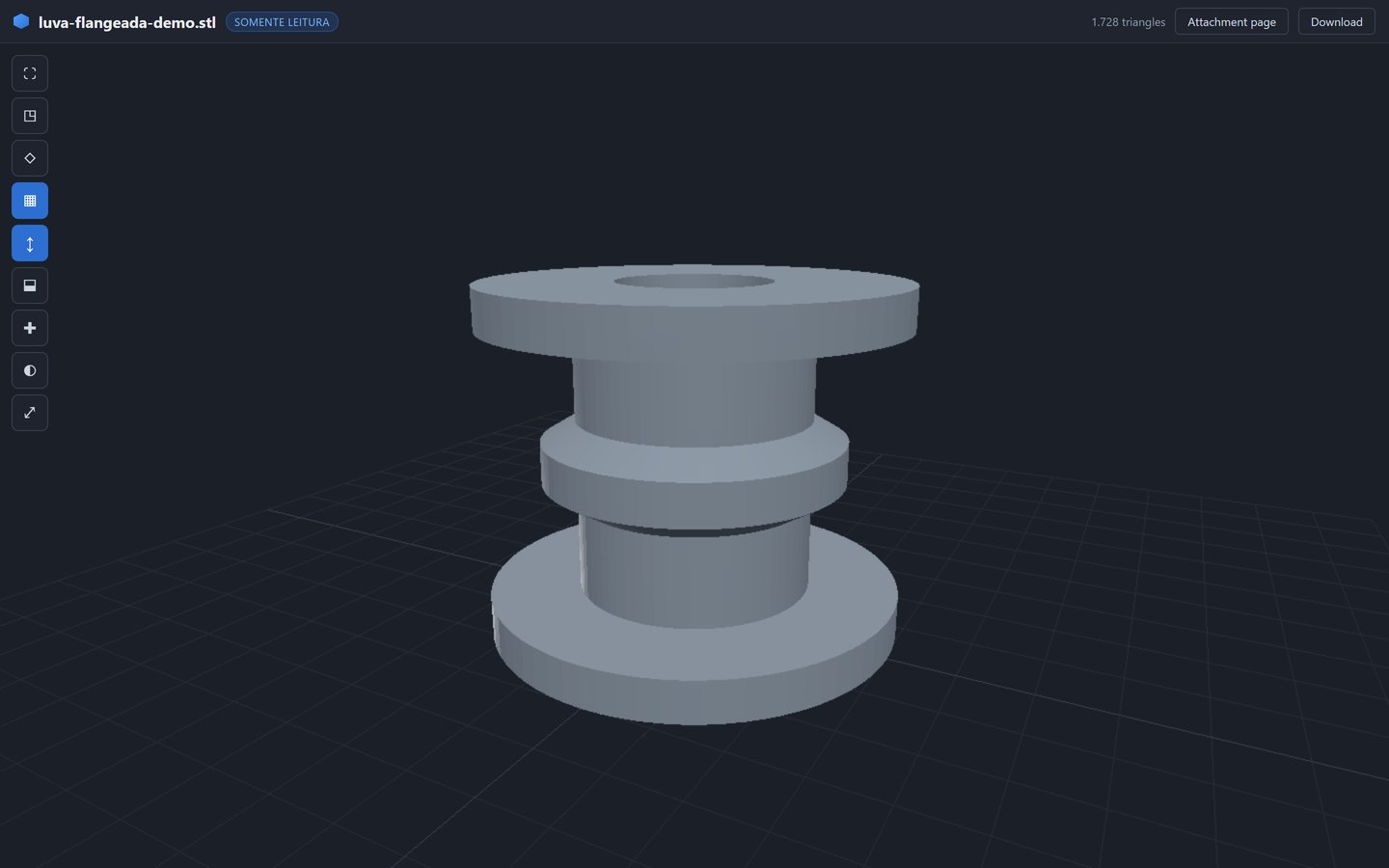
People without a CAD license can't open the STEP file attached to an issue — so engineering decisions stall waiting for someone to export a screenshot. The 3D Viewer fixes that in one click: the model opens right inside Redmine, read-only, for any user allowed to see the attachment.
Real STEP and IGES
BREP geometry opened by OpenCascade compiled to WebAssembly, inside a Web Worker — the page never freezes, not even with a 62 MB IGES carrying 1.6 million triangles.
DWG and DXF included
Native DXF with a layer panel; DWG converted server-side in ~0.1 s by GNU LibreDWG bundled with the plugin. No extra installation.
Engineering tools
Section cuts on X/Y/Z, wireframe, edges, part identification from the STEP product name, and PNG snapshots of the current view.
Trivial install
No database migrations, no new gems, no mandatory settings. Automatic model thumbnail in the attachments block.
Coming to the official directory. The 3D Viewer is being prepared for a free release on the redmine.org plugin directory — there is currently no equivalent open source CAD option there. Follow along at github.com/philbueno.
Time Punch — time tracking that remembers itself
Time tracking fails because people forget to start and forget to stop. Time Punch puts a punch-clock widget on every Redmine page and automates the workday: it starts at the beginning of the shift, stops at the end, deducts lunch and follows the factory calendar — holidays, bridge days, compensation periods. Logging hours becomes a consequence, not a chore. Being generalized for a free release.
Case studies · custom development
The heavyweights: prioritization, production control, engineering codes
The three largest plugins were tailor-made for one company's process — so they are not off-the-shelf packages. They stand here as proof of what can be built inside Redmine, and as a starting point for building yours.
Engineering Prioritization · v1.8
Request portal with approvals, scored priority queue with inline editing, automatic task-tree generation, Gantt, Kanban, KPIs, per-department deadlines and full-tree costing. 58 views, ~33,700 lines of code, e-mail and bell notifications on every event.
Production Control (PPC) · v1.3
A 12-stage pipeline over real issues — Sales to Logistics — with WIP-limited kanban, planned × actual Gantt, on-time delivery, per-stage lead time, an 8-week load plan and daily expediting digests.
Engineering Codes · v0.1
Central registry of engineering codes (drawings, fixtures, dies) with revision control, part-to-part connections and issue links — the seed of a PLM inside Redmine.
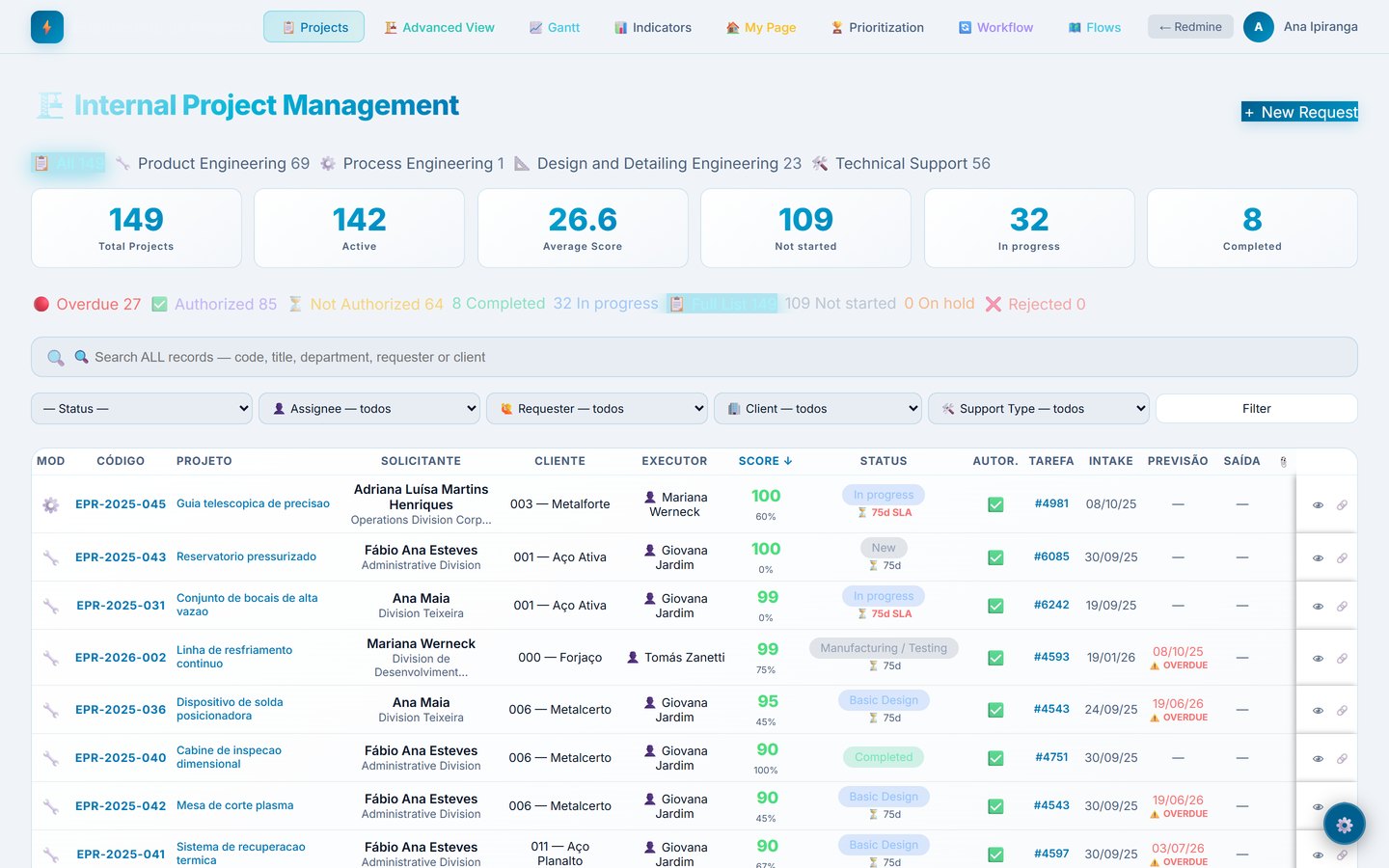
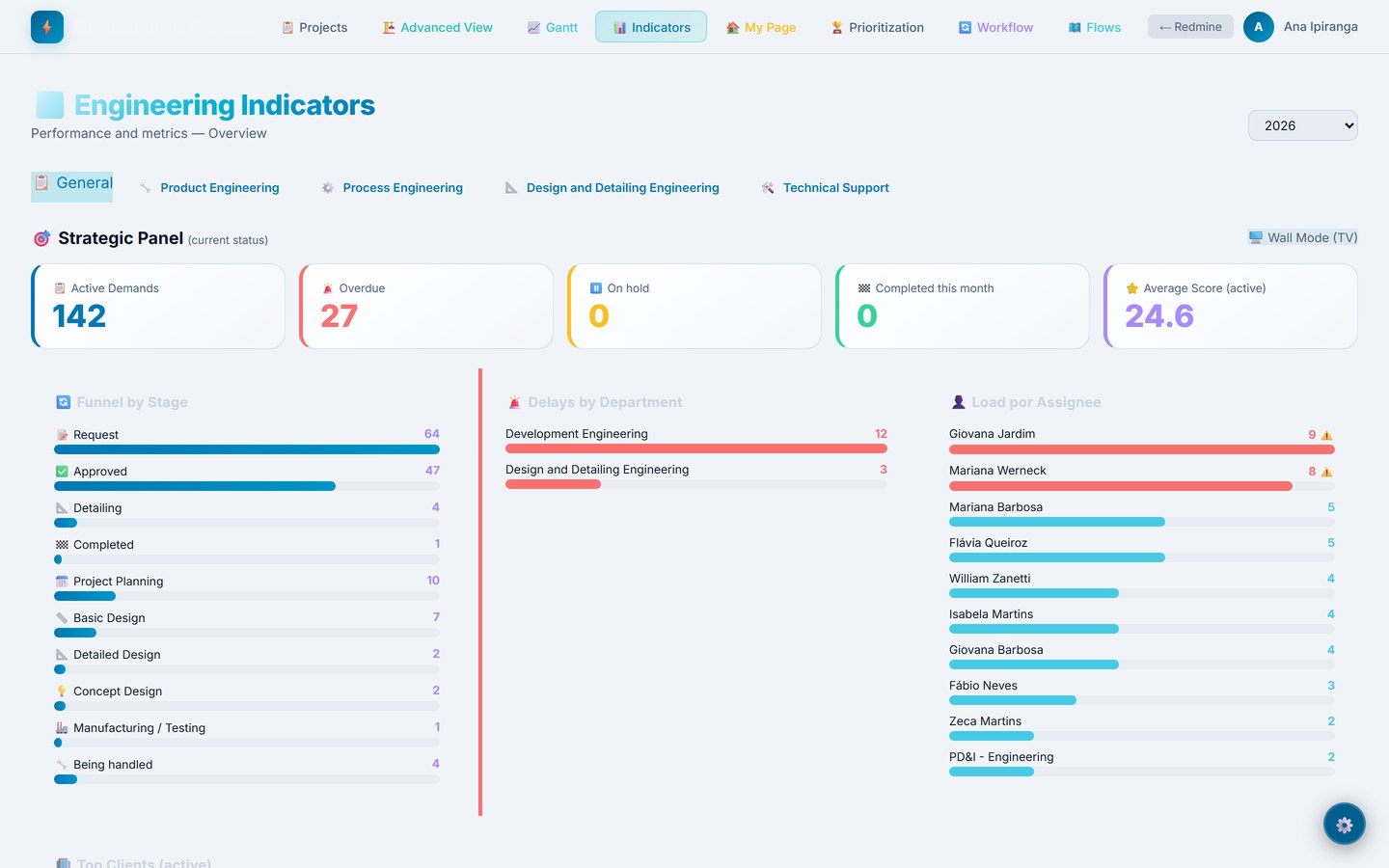
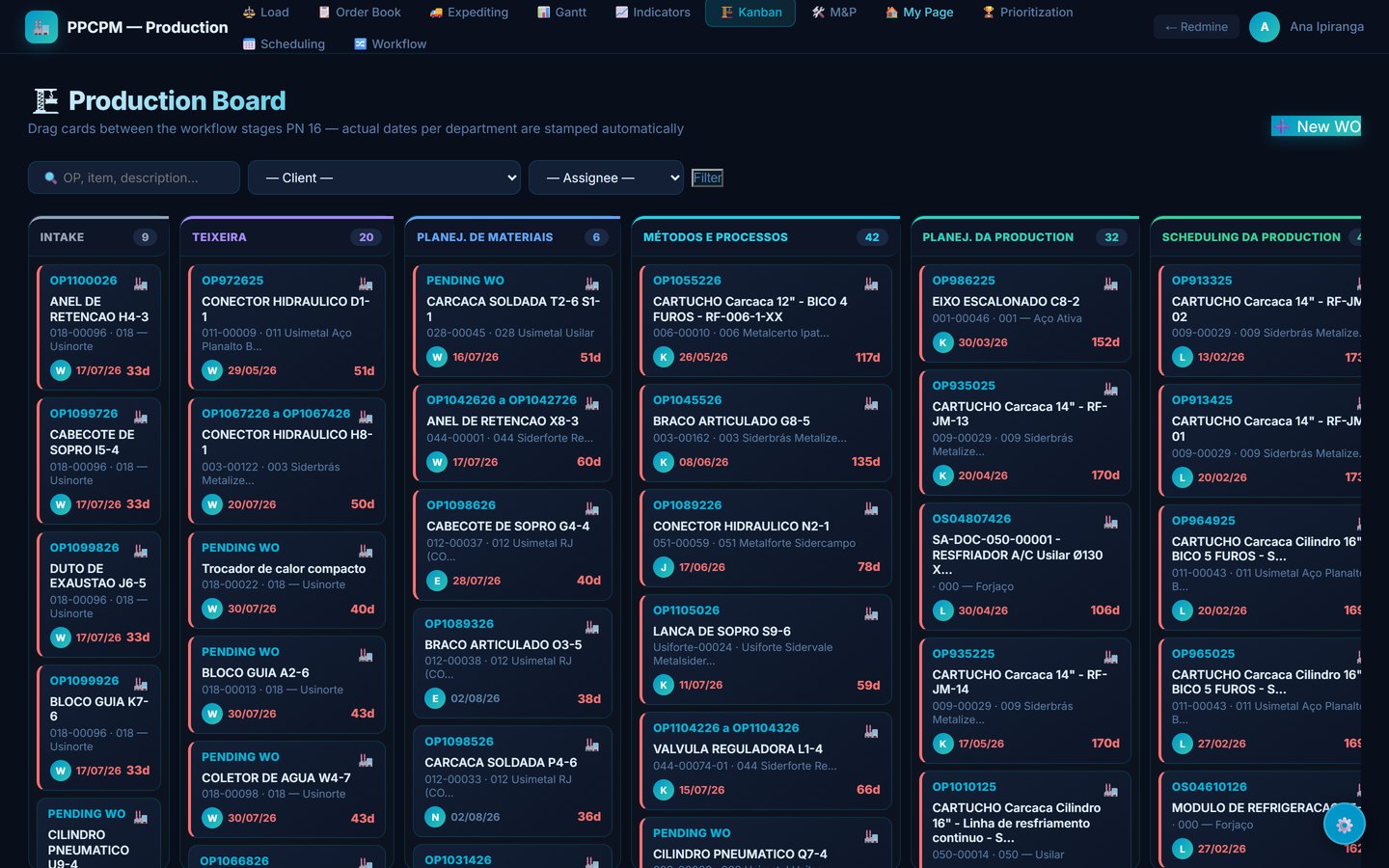
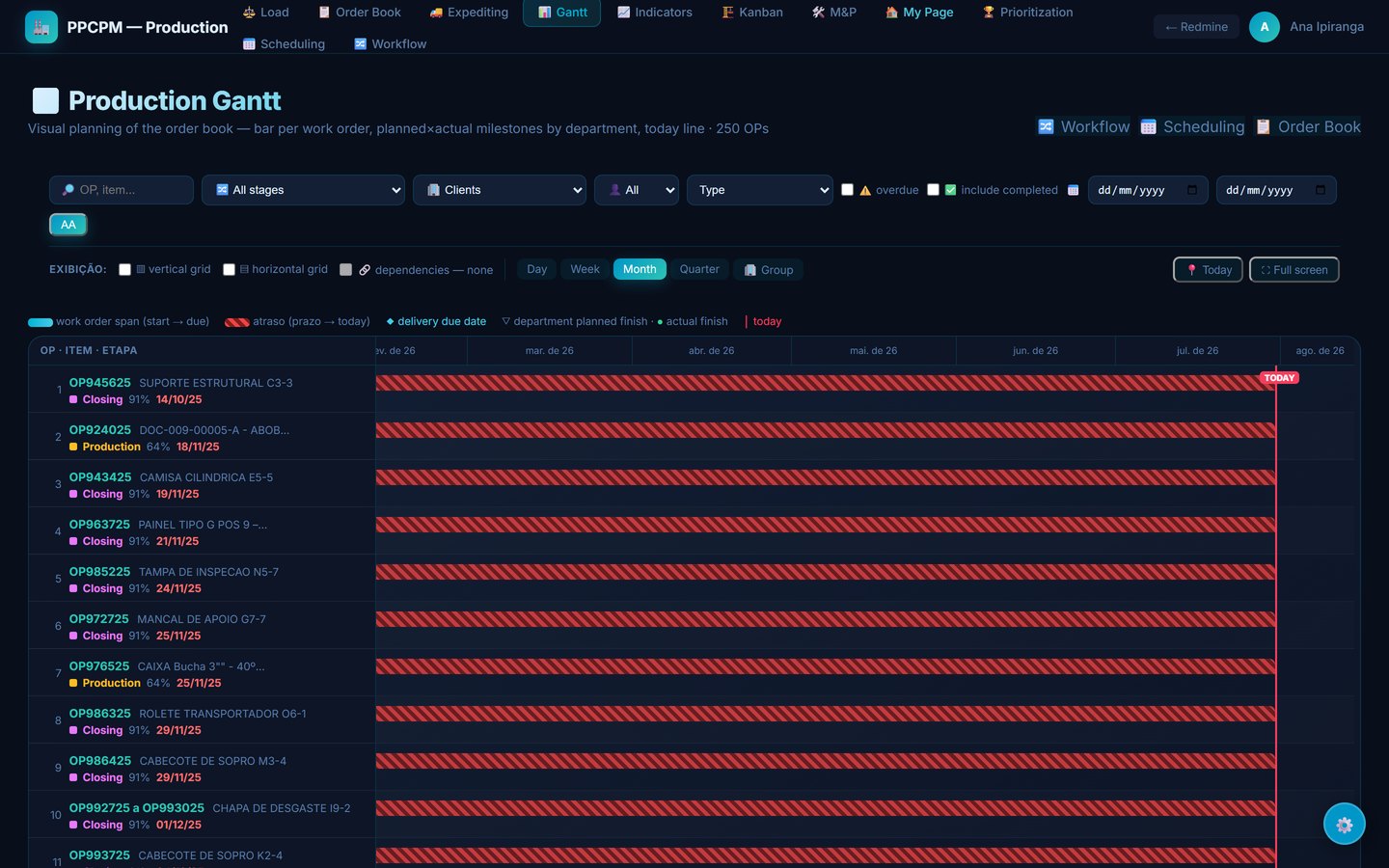
About these screens: this is the real system running, with every data point replaced by fictitious ones — names, clients, products and codes. No customer information appears here.
How I work: every production deploy ships with a script, a backup and a documented rollback. The plugins coexist with the ecosystem's most popular third-party plugins through defensive coupling — remove one, nothing breaks.
Contact
Your Redmine can do more.
A custom plugin, a deployment, a migration — or just a conversation about what's possible. I reply in English or Portuguese.